
A few days ago, while scrolling through LinkedIn, I stumbled upon something interesting. I saw developers excitedly talking about a new Python package manager called uv.
At first, I thought, “Do we really need another package manager? Isn’t pip already doing the job?” I have been using it for many years now at my work and it’s the standard.
But, people were describing uv as blazing fast, user-friendly, and even a possible next-generation replacement for pip.
That got me thinking and I decided to dive in and see for myself: what makes uv different, and why are so many developers suddenly paying attention to it?
If you’re a Python developer, the classic duo of pip for installing packages and venv for creating virtual environments has been the standard for years. But there’s a new tool in town that’s changing the game: uv.
Written in Rust, uv is a blazingly fast package and project manager designed to be a drop-in replacement for your existing workflow. It’s not just faster; it’s a unified tool that combines the best features of pip, venv, pip-tools, and even pyenv into a single, cohesive command-line interface. For a beginner, this simplifies the entire process of setting up a new project.
Think of pip and venv like a pair of older tools: they get the job done, but they have some quirks.
- Slow Speed:
pipcan be notoriously slow, especially for large projects with many dependencies. This is because it installs packages sequentially. - Separate Tools: You need to use
venvto create the environment,sourceto activate it, and thenpipto install packages. It’s a multi-step, fragmented process. - Dependency Conflicts: If you’ve ever run into a “dependency hell” issue, where two packages require conflicting versions of another package, you know how frustrating
pipcan be at resolving these.
uv addresses these issues head-on. Its key advantages are:
- Blazing Speed: uv is built for speed. It’s often 10-100x faster than
pipbecause it can resolve dependencies and download packages in parallel. What used to take minutes now takes seconds. - Integrated Environment Management: uv combines the functionality of
venvandpipinto a single tool. You don’t need a separate command to create an environment. - Better Dependency Resolution: It features a modern, intelligent dependency resolver that’s far more effective at finding compatible package versions, preventing many common conflicts.
Getting Started with uv
Switching to uv is a single step. You can install uv directly from its official source, based on your OS, as it is distributed as a single, standalone binary. I am following windows installation.
powershell -c "irm https://astral.sh/uv/install.ps1 | iex"
Once installed restart the terminal and validate the version:

Next , create a folder for your project and run uv init , under your project folder as below:

When you run uv init, it sets up a standard project structure for you, creating the necessary files and directories to ensure your project is well-organized and ready for development. This is similar to what other project management tools like Poetry or Rye do.
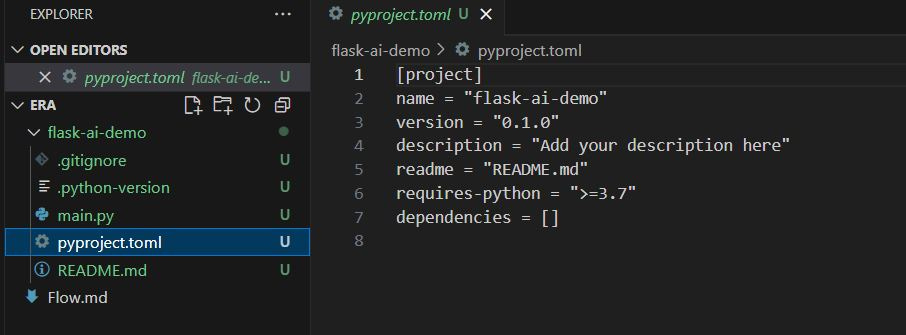
A basic uv init command will typically create the following files in your project’s root directory:
pyproject.toml: This is the most important file. It’s the standard for modern Python projects and contains all the project metadata, including its name, version, and dependencies.uvuses this file to manage your project’s dependencies and environments..python-version: This file pins the specific Python version your project should use. It helps ensure that everyone working on the project uses the same interpreter, which is crucial for reproducibility.main.py: A simple, example Python script (often a “Hello, World!” program) to get you started immediately..gitignore: A file that tells Git to ignore certain files and directories, like the virtual environment folder (.venv), so they aren’t accidentally committed to your repository.README.md: A basic markdown file for documenting your project.
Next, the virtual environment itself (.venv) is created automatically the first time you run a project command like uv add , which installs the dependencies listed in your new pyproject.toml file.
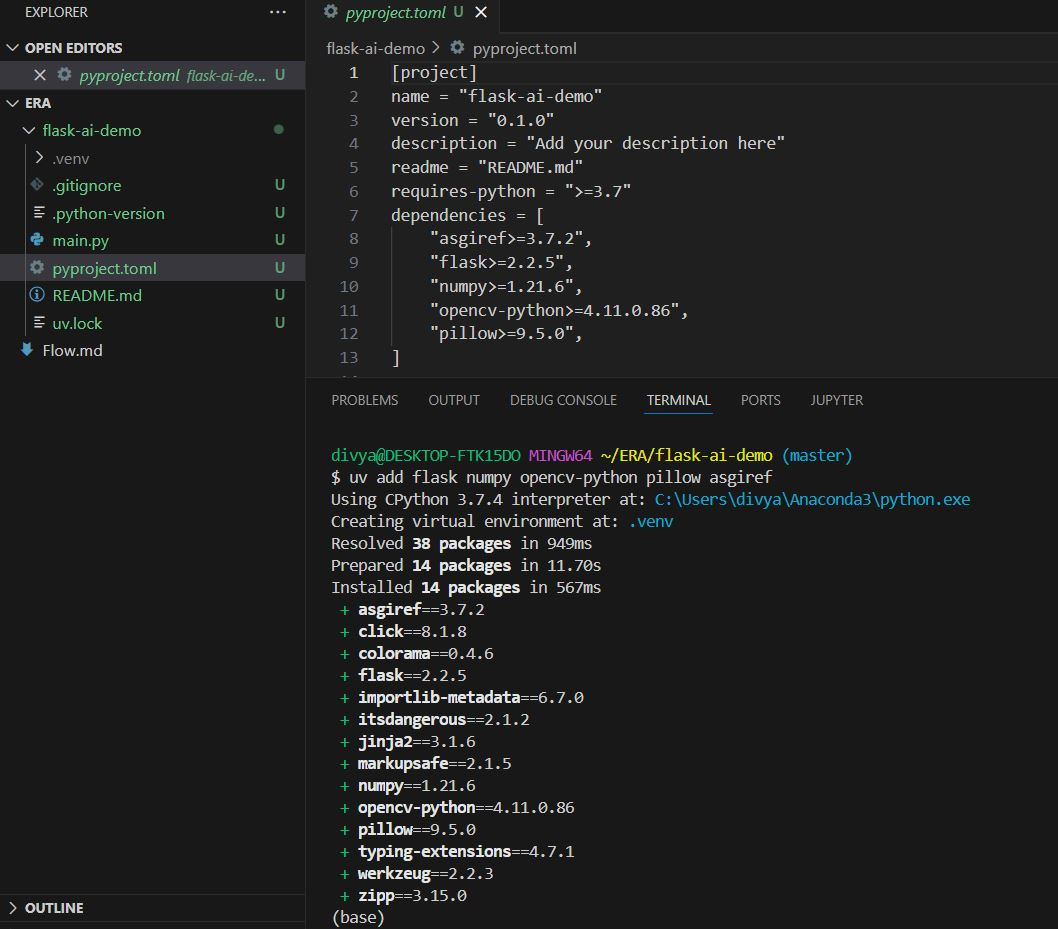
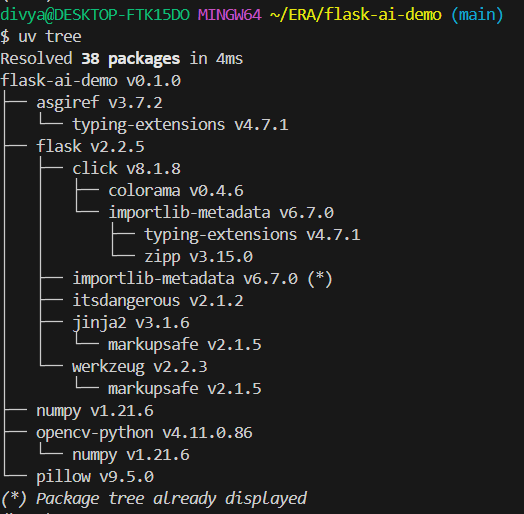
When you run uv tree, it reads the pyproject.toml or requirements.txt file and analyzes the relationships between all the packages your project needs. It then presents a hierarchical, tree-like view of these dependencies
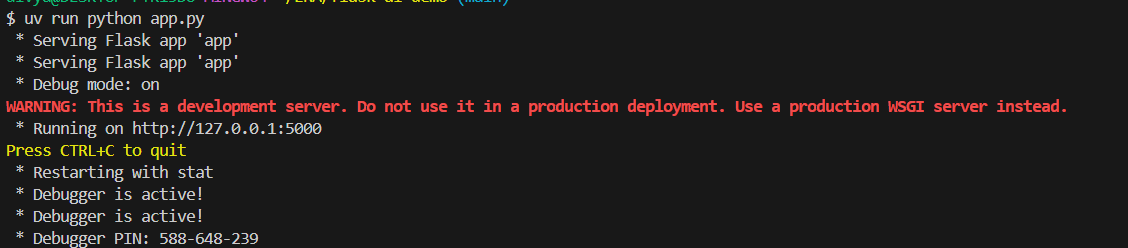
You can run the app using – uv run:
When I tried installing heavy libraries like opencv-python and torch, the difference was immediately noticeable. What usually took minutes with pip, uv finished in seconds.
And the best part? It handled all dependency conflicts gracefully without me needing to delete my venv and start over
If you’ve ever been frustrated with dependency conflicts or slow installs, uv is worth trying!!!
 Divya's Blog